
MICROSOFT WORD FORMATTING
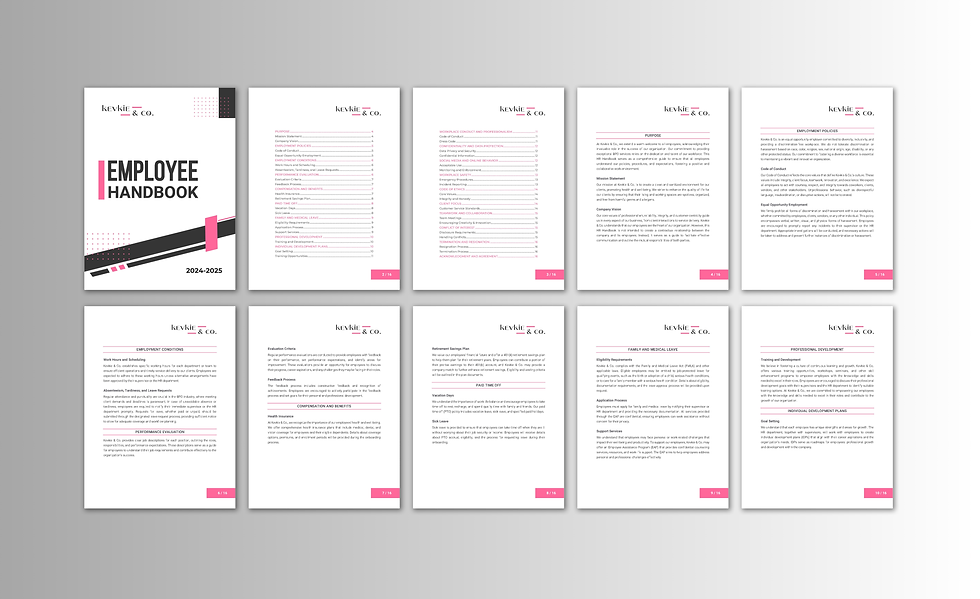
Complex Word documents, properly built. Polished Paragraphs repairs, rebuilds, and formats reports, manuals, proposals, policies, contracts, and legal documents so they remain consistent and easy to update. Styles, headings, multilevel numbering, tables, section breaks, headers, and footers are structured to work together.
Broken numbering, unexpected blank pages, shifting tables, and inconsistent layouts often point to problems beneath the surface. Existing files can be repaired while preserving your content and established design. Long documents and files assembled by multiple contributors receive particular attention to consistency, pagination, and readability.
Automatic tables of contents, cross-references, captions, and the Word Navigation Pane make the finished file easier to review and maintain. Deliverables can include a fully editable Word document, a print-ready PDF, or a reusable template for future work. English–French document formatting is also available.
.png)


-
Style-Based Formatting
Consistent headings, lists, spacing, and fonts, set up with a clean style system.
-
Stable Numbering
Consistent multilevel numbering when you add, move, or delete content.
-
Tables & References
Tables and cross-references that update properly and stay aligned.
-
Page Layout Setup
Headers, footers, section breaks, and page numbering built the right way.
-
Table of Contents & Pagination
A stable TOC and pagination that make long documents easy to manage.
-
Final Polish Pass
A full consistency check for readability, alignment, and a professional finish.